Categories
Conceptual Geotagging & mapping Interviews Mobile User experience

A new Powerhouse Walking Tours App and a Q&A with Glen Barnes

About a month ago our second walking tour App went live in the AppStore and was promptly featured by Apple leading to a rapid spike in downloads.

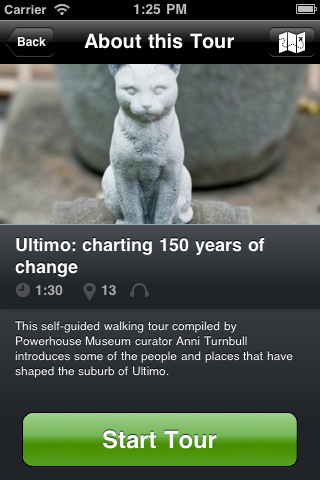
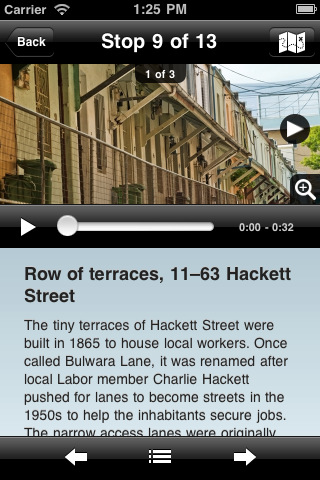
The Powerhouse Museum Walking Tours App is a free download, unlike our Sydney Observatory App, and it comes pre-packaged with two tours of the suburbs surrounding the Museum – Pyrmont and Ultimo. Both these tours are narrated by curator Erika Dicker and were put together by Erika and Irma Havlicek (who did the Sydney Observatory one) based on an old printed tour by curator Anni Turnbull.

Neither Pyrmont or Ultimo are suburbs that are likely to be attracting the average tourist so we felt that they should be free (as opposed to the Sydney Observatory one) inclusions with the App.

Additionally, as an in-App purchase you can buy a really great tour of historic Sydney pubs around the CBD written and narrated by Charles Pickett. We’re experimenting with this ‘freemium’ approach to see what happens – especially in comparison to the Observatory tour which requires an upfront payment. So, for a total of AU$1.99 the buyer can get the two included tours and the pubs tour.
So how’s it going?

As of last week we’d had 1,437 downloads of the free App with the two included tours since launch on June 13. 13 of the 1,437 have made the decision to go with the in-App purchase (that’s a upgrade conversion rate of less than 1%). We started getting featured on the AppStore on June 25 and the downloads spiked but there was no effect on in-App purchases. In comparison, the priced Sydney Observatory tour has sold 53 copies since launch a few weeks earlier on May 23.

We’re pretty happy with the results so far despite the low in-App conversions and we’re yet to do any serious promotion beyond that which has come our way via the AppStore. We’re also going to be trying a few other freemium upgrades as we do know that the market for a tour of Sydney pubs is both smaller and different to that of more general historical tours. You’re unlikely to see families taking their kids around Sydney’s pubs, for example.

We even had an unsolicited review from local blogger Penultimo –

We learned a few things very quickly – mostly about our own expectations. The first was this: it’s not going to be like a museum audio tour. The Powerhouse Museum did not pay a professional audio-speaker to make these tours. This means they have a kind of nice, very slightly amateur feel to them. At first this felt a little strange, but we got used to it.

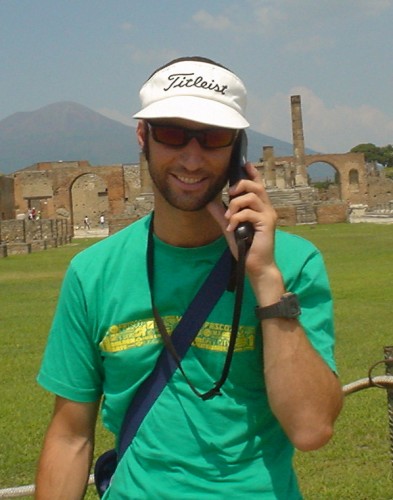
Glen Barnes gets inspired about outdoor mobile tours during a visit to Pompeii 2003

Glen Barnes runs MyTours, the company behind the software platform we’ve been using to make these tour Apps. Since KiwiFoo, Glen and I had been conversing on and offline about a lot of tour-related issues and I got him to recount some of these conversations in a Q&A.

F&N: My Tours has been very easy for non-technical staff to build, prototype and test tours with. How diverse is the current user base? What are some of the smallest organisations using it?

We’ve got about 26 apps out right now covering 3 main areas:

– Tourism boards and destination marketing organisations (Positively Wellington Tourism in New Zealand and the St Andrews Partnership in Scotland)
– Museums and cultural institutions (Powerhouse Museum, Invisible City Audio Tours, Audio Tours Australia and Invisible City Audio Tours App mainly because the content is great and the they’ve spent a lot of time on the stories, photos and audio. (Did you know that people used to sink ships of San Francisco so they could claim the land over the top of them when it got reclaimed? How awesome is that!)
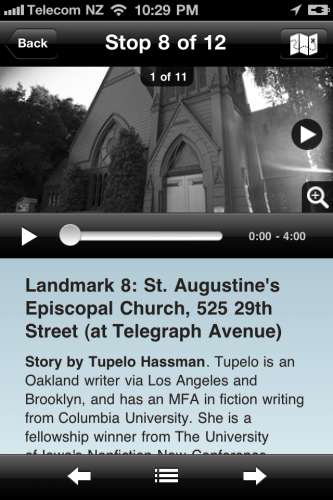
Invisible City App

I think a good tour has to have something to hold it all together – putting pins on a map just simply doesn’t cut it and neither does copying and pasting from Wikipedia.

I’m also a big fan of real people talking about their experiences or their expertise and this was really bought home to me when I meet Krissy Clark from Stories Everywhere at Foo Camp a couple of months ago. We went exploring out into the orchard and ‘stumbled’ across a song that was written about the place by a passing musician. The combination of the story and the song really took me back to what it must have been like in the middle of the hippy era.

Of course a great story is no good if people can’t find it. Promotion is key to any app.

I think this is one area where organisations really have to start working with local tourism boards and businesses. If you are from a smaller area then band together and release one app covering the local heritage trail, museum and gardens. The tourism organisations tend to have more of a budget to promote the area and by working together you can help stand out amongst the sea of apps that are out there. Also make sure that you tell people about it and don’t rely on the app stores. Get links of blogs, the local newspaper and in real life (Welly Walks had a full page article in a major newspaper, two more articles and a spot in KiaOra magazine). Talk to people and make sure the local hotels and others who recommend places-to-go know about what you are doing.

F&N: Do you see My Tours as creating a new audiences for walking tours or helping transition existing printed tours to digital? I’m especially interested to know your thoughts on whether this is a transition or whether there might actually be a broader market for tours?

We fit the bill perfectly for transitioning existing printed tours to the mobile space but that is definitely only the start. It is easy to do and creates a first step in creating more engaging content. A criticism some people make is that some of the tour apps don’t have audio – but in reality audio can be expensive to produce. I don’t mean we shouldn’t strive for the best but I would rather see some tours out there and made accessible than not published at all. Also if a few new people who wouldn’t dream of going to the library to pick up a walking tour brochure or booking a tour with the local historical society get interested enough to spend their Sunday exploring the town then that is good enough for me.

F&N: Here at PHM we’re trying both a Freemium and an upfront payment model for the two apps we have running. How have you seen these models work across other My Tours products?

We’ve tried to experiment a bit with different pricing models both for our own pricing and the app pricing. In-app purchasing hasn’t really taken off just yet and I’m not sure how this is going to work long term for this type of content. I’m hopeful that as more people become used to paying for things like magazine subscriptions through apps simple In-App purchases should become the norm for content just as it is for in-game upgrades. My main advice would be that if you can give the app away for free then do it as your content will spread a lot further that way. One way of doing this would be to get sponsorship for the app or some other form of payment not directly from the users.

F&N: What are the essential ingredients to having a chance of making a Freemium model work?

For any app you have to provide value off the bat to have any chance at all. For example you can’t give away an app and then charge for all of the content within – You will get 1 star reviews on the store straight away. Apart from that are you offering something that someone just has to have? That is a big call in the GLAM sector but if anyone has ideas of what content that is I would love to hear about it!

F&N: I was struck by My Tours affordability compared to many other mobile tour-builders. Do you think you’ve come at the ‘mobile tours’ world from leftfield? What assumptions have you overturned by being from outside the ‘tour scene’?

When we started we didn’t really look at any other solutions (as far as I know we were working on My Tours before anyone else had a completely web based tour builder like ours). I think we also did a few things with our tour builder that are a bit different because we hadn’t come from within the tour ‘scene’. The whole idea of having to upload ‘assets’ to your ‘library’ before even getting started just seemed a bit weird and convoluted to me so we we just let people add images and audio directly to the stops as they needed them. Also opening up the tour builder to anyone without them having to sit through a sales pitch from me was a first – I see no reason why you have to qualify people before they even kick the tyres.

We also challenged the assumptions that apps were only available to those with lots of money. The internet has this amazing ability to put everyone on an equal footing and let everybody’s voice be heard. This doesn’t mean that all voices are perfect but what it does mean is that money isn’t the measure of quality. Put another way there is no reason why the Kauri Museum shouldn’t have their own app just like the MoMA. It might not have all of the bells and whistles of an app from a major museum but at the same time it won’t take a hundred thousand dollars to develop.

It is interesting to look in more detail at pricing. We approached pricing by looking at a couple of other generic app builders and also looking at what value we provide. We’ve based the value proposition on the number of downloads that most of our apps will receive. Welly Walks is doing around 30-50 downloads a week which means they are paying around 30-50 cents for each app that gets downloaded. That is great value for them. Other apps are not getting quite so many downloads. If you are a smaller organisation you may only get 10 a week and the price per app is $1.50-$2 which still seems OK.

Looking at the charging models for some other tour builders and at those same download rates over a 2 year period you’d be looking at $11 and $16 an app for 10 downloads a week or $2.50 and $3.50 for 50 downloads a week. Of course, there are other factors apart from cost per download that come into it (For example renting the devices on site) but the bottom line is “Are we getting value for money?”. We may add in different pricing tiers as we add more features but I expect this will be around how deep you want to go with customising the look and feel of the app – custom theming for example.

F&N: I was really impressed to see that you had been implementing TourML import/export.

TourML to just seems like a no brainer. To me it serves 2 purposes. 1) To enable organisations to export/backup their data from a vendors system in a known format and 2) Allow content to be easily shared between different platforms.

Now some vendors want to lock you into their system and their way of doing things and they try and make it hard to leave. Instead we started from scratch building our company based on the modern practice of monthly charging and no long term contracts. As they say, “you’re only as good as your last release” and this keeps pushing us to build a better product. And while we don’t have the TourML export in the interface yet (the standard isn’t at that stage where we feel comfortable putting all of the finishing touches on our proof of concept) we see no reason why people who want to move on should not have access to the data – after all it is theirs.

We also want to see content available on more devices and pushed out to more people. Isn’t the whole point of the GLAM sector to enable access to our cultural heritage? By having an open format it means that a tour may end up on devices that are too niche for the museums to support internally (Blackberry anyone?).

F&N: What do you think about ‘augmented reality’ in tours? Do you see MyTours exploring that down the track?

I’ve got a love/hate relationship with AR. On the one hand I really want it to work but on the other I have never actually seen it work.

I think two examples show this clearly.

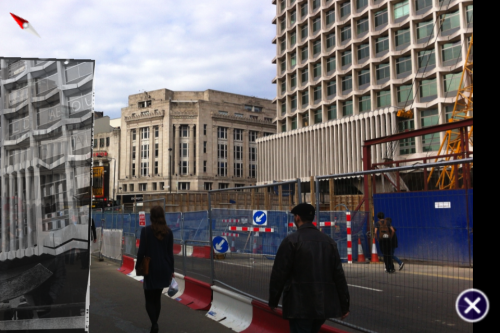
On a trip to London last year I was looking forward to trying the Museum of London’s award winning Streetmuseum app which places various historical photographs around the city. But having done so I came away with a couple of nagging issues. I never once got a lock on an image actually hovering over the correct location (even at which has a wide open sky due to the construction of the new crosslink tunnel). Here’s a screengrab from my phone where you will see the photo is way off the mark.
The second unfavourable experience with Streetmuseum was less technical and more a psychological issue – I actually felt really vulnerable standing in the middle of touristy London holding up my iPhone with my pockets exposed. I was always conscious of a snatch and grab or a pickpocket.

The second example was during Museums and the Web 2011 where Azavea held a Walking tour of Historic Philadelphia.

A group of about 15-20 of us set off with the PhillyHistory.org mobile app and walked around the city looking at various sights. It only took about 10 minutes before our devices were tucked firmly back in the pocket as we couldn’t really get it to work reliably – and this is from 20 dedicated museum and mobile practitioners! Let me point out that I don’t think it was a bad implementation of the current technology (they really have a bunch of talented people working there), I just think that the technology isn’t ready. You can download a whitepaper from Azavea on the project from their website which goes into some of the issues they faced and their approach.

I think there are some opportunities around where it does make sense but the outdoor ‘tour’ space I don’t think is one of them (yet). So will we be adding AR to My Tours? Not any time soon in the traditional sense but if someone can show me something adds value down the road? Sure.

F&N:You are also really committed to open access to civic data. How do you see commercial models adapting to the changes being brought through open access?

I’m a big Open Data fan (I helped found Open New Zealand). I’m not sure where that came from but I got interested in open source in 1999 when Linux was starting to take off and I just loved the way that many people working together could build tools that in a lot of instances were better than their commercial equivalents. I’ve also worked for companies where there were a lot of manual tasks and a lot of wasted human effort. Open Data means that we can all work together to build something greater than the sum of its parts with the understanding that we can both get a shared value out of the results. It also means that people can build tools and services on top of this data to without spending days trying to get permission before they even start and can instead focus on providing real value to others. I’m really proud of the work myself and the other Open Data folk are doing in NZ. We’ve got a great relationship with those within government and we are starting to see some real changes taking place.

How will companies adapt to this? If you are charging money through limiting access to content then you will no longer have a business. When you think about it how did we ever get in a situation where businesses produced content and then licensed this under restrictive licenses back to the organisations that paid for it in the first place? If you commission an audio track then you should own it and be free to do what you like with it. Mobile? Web? CC licensed? That should all be fine. Therefore the value that the producer adds is where the business model is. For My Tours, that is in providing an easy to use platform where we take all of the hassle out of the technical side of the app development process – you don’t need a ‘computer guy’ and a server to set up a TAP instance. That is what we are experts in and that is what we will continue to focus on.
Categories
Developer tools Web metrics

Fixing document download and link tracking with the Google Analytics asynchronous tracking code

If you’ve been using the gatag.js from Good Web Practices in conjunction with your Google Analytics code for the past few years you may have noticed that it stopped working when you updated to the newer, better asynchronous Google Analytics tracking code.

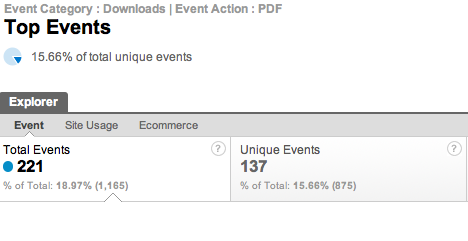
What was nice about the gatag.js code was that it was quick and easy to implement and tracked downloads of PDFs and other file types as well as traffic following any outgoing links. For cultural institutions which are full of such PDFs and external links, tracking these as distinct ‘EVENTS’ in Google Analytics was very useful for understanding user behaviour on your site.

There’s not been a clean and simple fix for this problem and until I saw Stephen Akins’ solution using jQuery I thought we’d have to go back to other methods.

Our developer, Carlos Arroyo, made some minor modifications to Stephen’s code so that the way in which downloads and external links appeared in the reports would stay the same as those used by gatag.js allowing for historical comparisons.

First remove your references to gatag.js then place this after your Google Analytics asynchronous tracking code. (If you already load jQuery on your site then you probably want to check the version and you can omit the first section.)

(And of course you use this at your own risk!)

[code]
';
document.write(script);
}


[/code]

Categories
Collection databases Mobile QR codes User experience

Making Love Lace – a cross device exhibition catalogue & the return of the QR

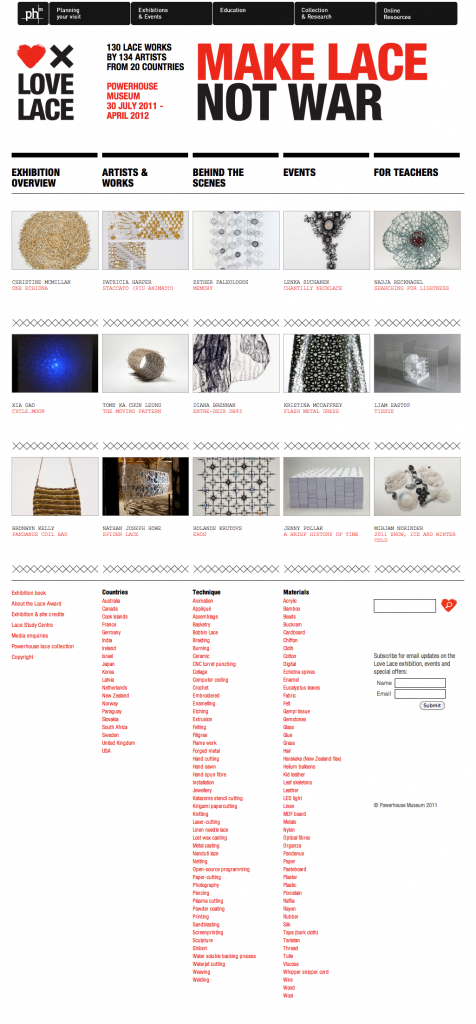
Estee Wah has been busy bringing Love Lace, our upcoming contemporary art exhibition, online. She’s been wrangling content and ensuring that the website is able to act as a fully fledged (and expanding) catalogue for the show as well as revealing much of the individual artists’ processes in a behind the scenes section.

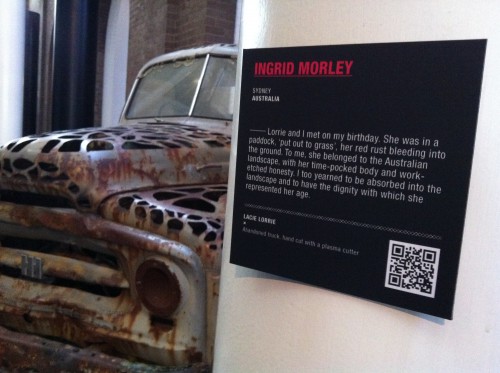
This exhibition sees the return of QR codes to the Museum (as well as, later, the trial of the tracking pilot).

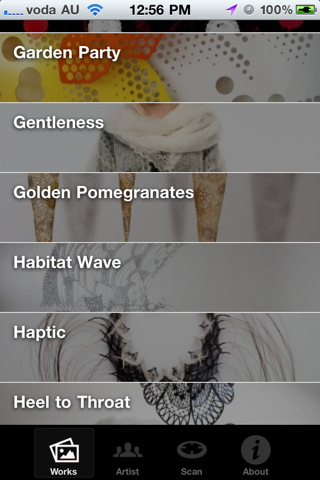
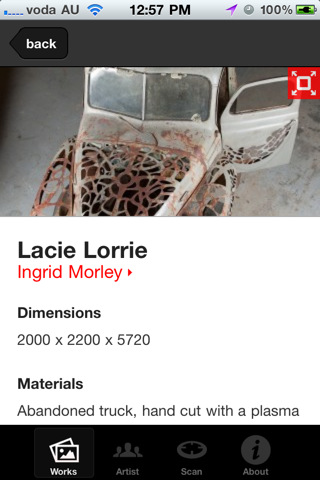
To solve one of the big problems with QR codes – that people just can’t be bothered downloading a QR code reading application (or firing it up if they do have one), our internal developer Carlos Arroyo has built the exhibition iPhone and Android App with the QR code scanner built in! This means anyone who downloads the exhibition App – itself a full catalogue of the exhibition designed for in-gallery supplementary browsing now also has their QR scanner at their finger tips.

As the QRs are scanned – from within the App – the relevant exhibition object immediately launches in the App. Carlos has also managed to nail down error correction and the scanning is now really good even in low light and on low resolution cameras.

Like for Sydney Design and the Go Play Apps we’re using Flurry to track in-App actions so we can see which objects get scanned and viewed.

(There’s even a mobile website that mimics the App – without the scanner – if you don’t choose to install the App!).

We’ll keep you updated on how it goes and when the automated tracking goes live. Carlos is already working on a v1.1 version of the App to roll out shortly with some new interaction options.

Try out the iOS App in the AppStore. And the Android version of the App is on the Android market also.

Categories
Mobile Powerhouse Museum websites Young people & museums

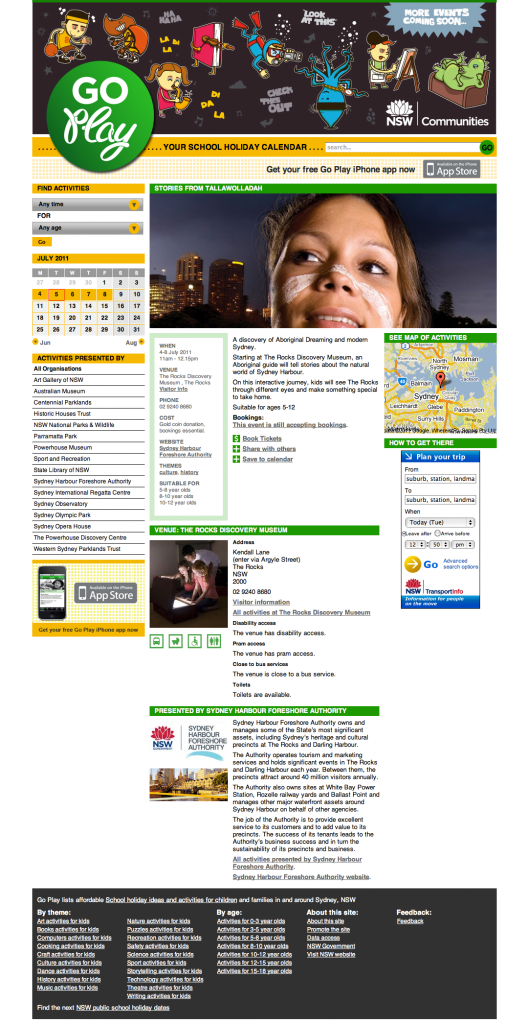
Updating Go Play – the cross-agency school holiday calendar

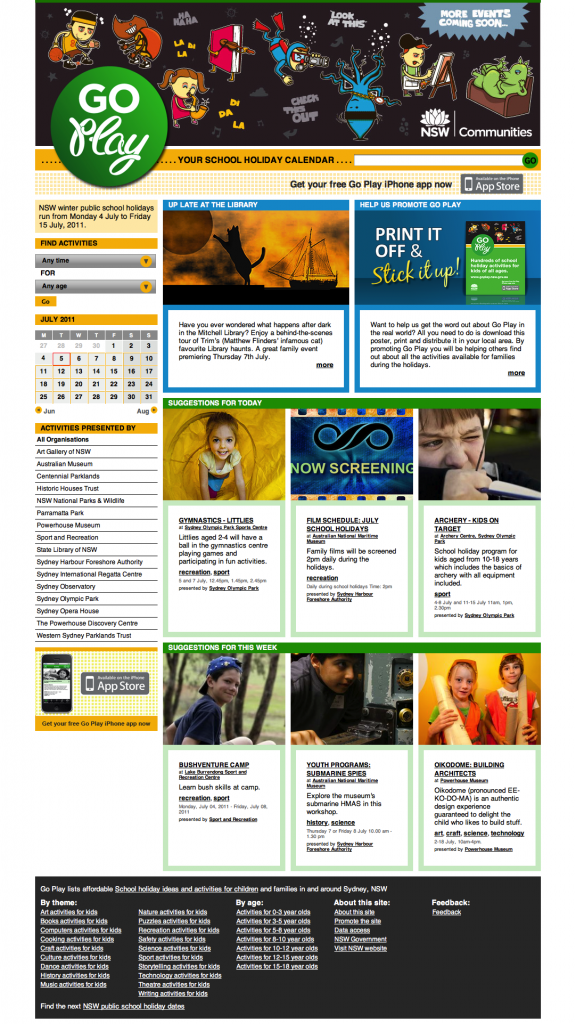
Last September we quietly launched the alpha version of Go Play, a site that Powerhouse was commissioned to produce for the then Communities NSW (now Office of Communities). Go Play was built to address the problem of the general invisibility of the wealth of great school holiday events, often free or low cost, put on by government organisations. On commercially operated parental events calendars these cultural events are buried amongst the latest family movies, and on individual government agency websites there is no suggestion that there might be other relevant activities nearby. Beginning with the cultural institutions and sport and recreation facilities, the site was also built to ensure that event metadata was enhanced with standardised parent-focussed information like age suitability and whether or not the venues have baby change facilities etc.

Initially managed by Renae Mason at the Powerhouse and programmed by the IXC, the Go Play went live as a public alpha with school holiday activities collated from five NSW government agencies to test the database structure and robustness. In December the site, complete with a stack of bugfixes, went into beta with more agencies involved.

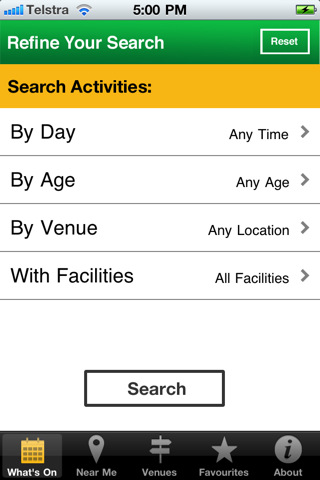
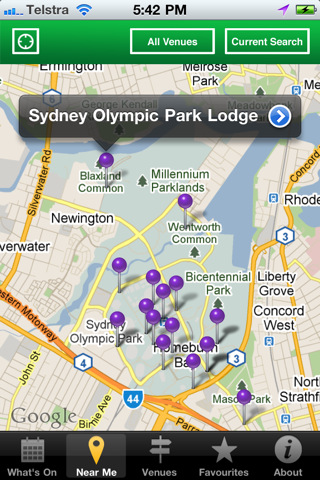
Under the purview of a new producer at Powerhouse, Estee Wah, the April holidays came around and the site continued to grow with more and more contributors and general operations for the site began shifting over to staff fat Office of Communities. At the same time for April, we launched a mobile App version of Go Play funded through Apps4NSW and was developed by The Nest.

Now we’re in the winter school holidays and the site has just added even more partner organisations and the App has also received its first major update.

Not only that, the enhanced event copy is now licences under CC-BY-NC for re-use by others (excepting, of course, the images). The event data and venues can be obtained as XML from the Data Output section. (Alternative licensing of the data can no doubt, be negotiated).

So how has it gone?

Go Play, to date, has shown that with a mix of great SEO and search marketing coupled with a relatively simple UI there is a good audience for tightly focussed cross-agency event calendars. Traffic has been strong with each holiday period delivering more and more visitors to the site – now nearly 60K – and consolidating repeat visitors. The iOS App has had nearly 1100 downloads since launch, and the update has been applied 234 times in the last few days since release showing ongoing usage by those who downloaded the first version.

Not surprisingly, those institutions who chose to add the Go Play banners to their own sites ended up sending a good deal of traffic to the site – showing that, unsurprisingly, parents who visit, say the Powerhouse Museum website looking for holiday activities are interested in seeing what else in on too. It would seem, too, that those who sent traffic also had their own events viewed the most in Go Play creating a net gain in traffic and awareness, instead of a net loss.

The initial ideas that such a site might be able to run automagically, harvesting new content from participating institutions, have unsurprisingly been optimistic. In fact these were scoped out after the initial alpha release and the focus on having a human editor who ensures that events have full enhanced metadata not only makes the site a lot more valuable to parents but also realistically deals with resource levels at contributing agencies.

Next school holidays the site will be completely under the operation of Office of Communities and will hopefully grow to take on many more content partners (local government is an obvious option), and maybe down the track be able to operate all year round.

Check out the Go Play site and the free iOS App!

Categories
Mobile Powerhouse Museum websites User experience

Building Sydney Design 2011 as a cross-platform site

It has been over a month since my last post here and everyone has been flat out working on a slew of projects, most of which have just gone public. The lead up to August is always one of the busiest times of the year at the Powerhouse with both Sydney Design and Ultimo Science Festival taking place each August, and this year these have been joined by a major contemporary art exhibition launch and the Powerhouse’s revitalisation works.

The next couple of posts will look at some of the new things that have gone live.

Nick Earnshaw in the Web Unit has been handling Sydney Design and Revitalisation and both of those sites, running on WordPress, are now live.

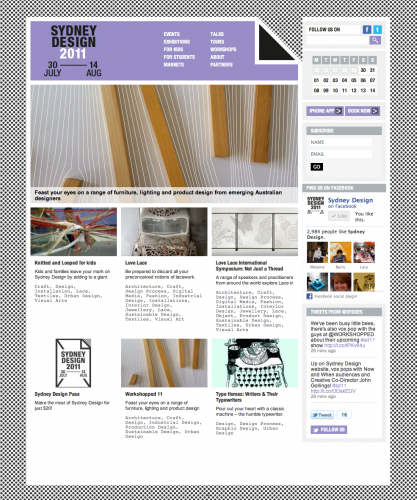
Sydney Design was built by Mob Labs using a concept and design by Toko. Mob Labs have built both a web and mobile web version of the Sydney Design site and the iPhone App version is due to go to the AppStore any moment now.

We’re excited about this year’s Sydney Design site because it has been built to be even more decentralised than previous years. The Powerhouse IT team reconfigured an install of our helpdesk/job-tracking system, JIRA, to allow external Sydney Design partners to enter their events remotely and the Powerhouse Contemporary team, who organise Sydney Design, to assess them. Chris Bell in the IT team then exported these into a custom WordPress install where the final event editing took place whilst Mob Labs configured custom themes for the site itself. We’re also indebted to MOMA’s work in creating a very useful JSON API plugin for WordPress which made the resulting site build by Mob Labs considerably easier.

You’ll also notice that the site integrates Facebook using a subset of the Opengraph features to make it clear which parts of Sydney Design your friends like and making rough recommendations. We were inspired by the Sydney Festival site to do this and we’ll be keeping an eye on it to see how effective it is for the more niche audiences of Sydney Design.

The Contemporary team at the Museum have also been busy making sure there’s vox pops and other content going out on Facebook and Twitter as well as embedding them into the relevant events (eg. 1 | 2) on the site itself.

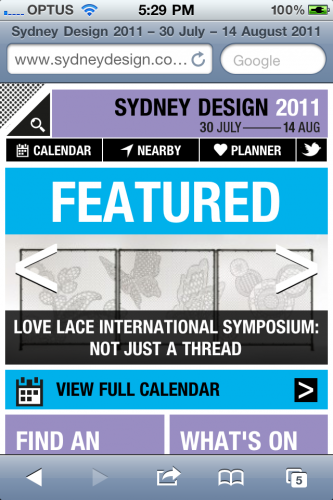
Mob Labs did a great job on the mobile site which has some nifty swipe interface action and geo-location in mobile browsers – give it a go on an iPhone, Android or Blackberry and see. And once the native App goes live we’ll be able to see how many iOS users choose the App over the Mobile Web version of the site.

Maybe this year will be the last time we feel we need both a mobile website and an App.

Categories
User behaviour User experience

Prototyping moveME – a location-aware indoor mobile App with tracking

Last week at CeBIT the announcement came through that a project that has been under wraps for a little while now received NSW Government funding to move ahead. It is a collaborative project bringing together commercial partners with the Museum being used, as our Director puts it in the media release, “to directly support the NSW technology industry by being a ‘living laboratory’ for the development of this product”.

A consortium formed by Smarttrack RFID, RAMP RFID, MOB and the Powerhouse Museum is delighted to be selected as one of the first recipients of funding from the NSW Government under the Collaborative Solutions program. Announced on Tuesday 31 May, the NSW Government’s Collaborative Solutions programme aims to help build the digital economy in NSW.

And although there’s two companies involved with RFID in their names, this project is not about RFID at all – but instead is developing and trialling a mobile platform which, combined with indoor location awareness, is able to deliver customised content to visitors and also deliver valuable spatial analytics data back to the museum to assist with future exhibition design and spatial configuration.

Julian Bickersteth and Christopher Ainsley delivered a paper, Mobile Phones & Visitor Tracking, at Museums and the Web 2011 that outlined the broad premise of the project in April.

Discussing the use of tracking applications in the retail sector they wrote,

The museum sector is small and consequently does not have the resources to make use of this opportunity. However, significant components of museum operations have synergies with the retail sector, a part of the economy with deeper pockets for exploring new technologies. The museum sector has a history of piggy backing on the technological developments of its retail cousins, whether in the overt area of streamlining their own retail operations (both in the museum shop and on-line) or more subtly in using retail counting systems to accurately count museum visitors.

Shopping malls in particular share many physical characteristics with museums. They are both likely to be large masonry structures with a limited number of entrances, to contain a series of retail or exhibition spaces along with catering areas, joined by large open spaces. Both shopping mall and museum operators want to know where the more and less popular areas are located, what the dominant paths followed by visitors are, how long they spend in catering outlets and retail stores, and how long they spend in the mall/museum as a whole.

For the retail mall operators (known in the business as RAMs or Retail Asset Managers), critical to their thinking is adjacencies and synergies of the retail and catering mix so as to maximise rental income through more intelligent leasing. This in turn allows them to charge top dollar for shops in prime positions, and also control who gets a lease in the first place.

I sent Julian a number of questions about the project to expand on.

F&N – How did moveMe come about?

MoveMe started as visitor counting project which then expanded into visitor tracking. Visitor tracking works best if the visitors are using an App (giving them a reason to turn their devices on etc), hence the addition of the App. But then the packaging of this offering to include location specific content delivery and way finding clearly became a much more interesting space to be in, hence the evolution into moveMe.

F&N – How effective has this technology been in the shopping mall environment? What sorts of business decision making has this enable or improved?

This is still being trialled, but where it has in US department stores and super-hardware stores, it clearly has the ability to help staffing and also response to promotions. Since both these areas are high cost items, it is data they are very keen to get their hands on. [There’s some expansion on this in the MW paper]

F&N – You’ve seen a lot of mobile projects around the world. How does this differ in potential from what you’ve seen at AMNH and, locally, MONA?

Both AMNH and MONA cost absolutely heaps to design and install. Our solution is going to be much cheaper to deliver because it uses a different technology for tracking. Also it will be designed as a generic rather than a bespoke solution, so can be provided over the Internet for museums to locally self install and use.

F&N – What do you hope will be the key benefits of this system that is being prototyped?

For the visitor, focused delivery of far wider information than they could ever get from a label, plus the removal of having to squint at and possibly queue to see a label before they know what you are looking at. Also way finding. This is a critical issue in any big museum, which actually puts people off exploring as they might get lost. For the museum the ability to provide access to much more information plus also understand visitor patterns and behaviour in a way which up to now has just not been possible in a systematic and regular way

—

The prototype will be bundled into a cross-platform exhibition App that we are building in-house for the upcoming Love Lace – Powerhouse International Lace Award exhibition that launches with Sydney Design 2011. This will provide the first access to the technologies involved and also demonstrate how it can be potentially plugged into existing mobile tour platforms if required (as well as provide a full service for those without an existing App).

We will keep you posted on the project as it develops.

Categories
API Collection databases

Powerhouse Object Name Thesaurus now available via our API!

Luke Dearnley is at LOD-LAM this week and he and Carlos Arroyo are pleased to publicly announce that the Powerhouse Object Name Thesaurus is now available through our API.

The Object Name Thesaurus was developed by the Powerhouse Museum to standardise the terms used to describe its own collection. It was first published in 1995 as the Powerhouse Museum Collection Thesaurus. Since then, many new terms have been added to the thesaurus within the Powerhouse’s collection information and management system. The print version has long been popular with collecting institutions to assist in the documentation of their own collections.

Whilst you have been able to download the thesaurus as a PDF for a fair while, the API now makes it possible to build applications on top of the thesaurus to do things like explain terms or even expand the search on your own website to show results from ‘related or child terms’. And of course, if you’ve built applications using the Powerhouse Collection you can now show related parent and child objects. The thesaurus, like the rest of the API defaults to a CC-BY-NC license although you can approach the Museum for a variation on request.

The hierarchical structure of the thesaurus assists in searching. By organising object names, the relationships between objects can be made explicit. Object names are organised according to their hierarchical, associative or equivalence relationships. The object name thesaurus allows for more than one broader term for each object name. Any term is permitted to have multiple broader terms, for example ‘Bubble pipes’ has the broader terms of ‘Pipes’ and ‘Toys’. There is no single hierarchy in which an object name is located, enabling it to by found by searchers approaching with different concepts in mind.

Here’s an example of the sort of return you can now get from the API.

[code]
{
“status”: 200,
“end”: 50,
“start”: 0,
“result”: 50,
“terms”: [
{
“status”: “APPROVED”,
“scope_notes”: “Any of a variety of brushes used to remove dirt and lint from clothing.”,
“term”: “Clothes brushes”,
“num_items”: 4,
“num_narrower_items”: 0,
“relations”: {
“narrower”: [
{
“status”: “APPROVED”,
“scope_notes”: null,
“term”: “Hat brushes”,
“num_items”: 2,
“num_narrower_items”: 23,
“id”: 5104
}
],
“broader”: {
“status”: “APPROVED”,
“scope_notes”: null,
“term”: “Laundry equipment”,
“num_items”: 11,
“num_narrower_items”: 0,
“id”: 1189
},
“related”: {
“status”: “APPROVED”,
“scope_notes”: “Used to remove dust and dirt from clothing by beating.”,
“term”: “Clothes beaters”,
“num_items”: 0,
“num_narrower_items”: 0,
“id”: 2802
}

[/code]

The code snippet above shows the usage of terms (sometimes a bit like a definition) and the broader/narrower relationships between the terms themselves.

Laundry equipment is a broader term under which Clothes brushes sits. Clothes brushes are used as “Any of a variety of brushes used to remove dirt and lint from clothing.” and they have a single narrower term Hat brushes.

Not only that, but Clothes brushes are related to Clothes beaters which are “Used to remove dust and dirt from clothing by beating”.

If you were, say, running a collection search (or even an ecommerce system) for old washing machines and related equipment your application could use the Thesaurus in the API to make recommendations on your own site using the broader/narrower terms from our system. In that sense a user searching for “hat brushes” on your website could also be expanded to show them results for “clothes brushes” and “clothes beaters”.

And of course, you can also get the Powerhouse objects under each of these categories.

Rough documentation is available (with better documentation coming soon).

We’ll be adding to this over the coming months and we’d love your thoughts on how this might be useful to you in your own applications.

Categories
Mobile

First of our walking tours is in the AppStore

This week the first in a series of walking tour iPhone Apps went live in the AppStore. Here’s the skinny.

This tour has been developed from a printed tour produced by Curator of Astronomy, Dr Nick Lomb, in 2009. It has been expanded to include a tour of the Sydney Observatory precinct, the Observatory, grounds, Signal Station, flagstaff and Fort Phillip. It reveals how central Sydney Observatory was to the development of scientific research in New South Wales. Observatory Hill has been the astronomical hub of Sydney since 1858 when the Observatory commenced operation there, and also played a vital role in the time-keeping, navigational and meteorological life of Sydney. The tour includes not only fascinating historical information but also captivating views of Sydney Harbour from Observatory Hill, Sydney Harbour Bridge and Dawes Point, as well as taking a delightful path through the Rocks.

Online Producer Irma Havlicek started this project by first walking the original printed map tour (PDF). As she walked the tour she found that there was a lot more opportunity to highlight other locations, whilst at the same time removing a few locations that were too far away to comfortably reach in a single walk.

Using the intuitive online tour App maker, MyTours, she pulled together images, dropped pins on the interactive map, wrote a script, and built a demo version. It took several more walks with the demo version on her iPhone to refine the tour to the current version.

After the literal road testing, Irma then recorded the audio track from her script and walked the route again this time with audio in her ears. This continuous in-situ testing was very time consuming but ultimately incredibly worthwhile as we now have a tour that is tightly edited and, depending on the weather, great to walk and enjoy.

When it came to submitting to the AppStore we had a lot of discussions about the pricing. Because the MyTours pricing model charges a monthly fee for free Apps but takes only a cut from charged Apps we were already leaning towards a low-price.

In the end we settled on an initial list price of AU$2.49.

Of this Apple takes its customary 30% and then MyTours 50% of the remainder (35% of the total).

Personally I think this is a very fair price. It is as cheap as can of soft drink and less than a coffee. I hope that the price also indicates that the walking tour has been made with care and we feel is worth at least that much.

We aren’t measuring success by the number of downloads but in the number of completed tours. And I strongly believe that a low price (vs free) will lead to more tour completions relative to total downloads. We will get less ‘speculative downloads’ and more intentional ones – unlike a general informational App that a museum might make, a walking tour App is not something that has a great deal of purpose unless you are intending to walk it. (And we’re keeping the free PDF version available regardless).

We’ve got signage coming at the Observatory so that visitors to the site in the day will be aware of the existence of this ‘visit extension’, and the public wifi at the site will make downloading the App and the tour as painless as we can currently make it.

We are launching a few more walks in the coming weeks with some other models being experimented with – and I’ll keep you posted on how it goes.

Categories
AV Related

AR drone test flights – flying over the collection

If you’ve been following some of us on Twitter you will know that the Digital teams have been experimenting with different kinds of consumer-grade filming technologies to offer new ways of seeing behind the scenes at the Museum.

We’ve had the camera-mounted robot cockroach that scuttles underneath large objects to view the undersides of things, and the iPad/iPhone controlled consumer-grade Parrot AR Drone which flies over and around objects.

Here’s some footage of a few test flights in the Castle Hill storage facility.

As you will see the resolution and framerates are currently too low for this sort of footage to be really useful. However this is early days and we think the idea of flying cameras around and through the collection has a lot of potential.

In fact, beyond the collection potential, our lighting technicians immediately saw the potential of using such drones to check the settings on light fittings usually only accessible with ladders and scaffolding.

Categories
Mobile

Nancy Proctor talk at Powerhouse Museum 19/4/11 on mobile 2.0

Early this week Nancy Proctor, Head of Mobile Strategy at the Smithsonian Institution gave a free talk at the Powerhouse, courtesy of Museum3 and RMIT.

The talk is quite a sobering walk through some of the emerging realities around the cost and rationale for mobile, as well as a discussion around how collectively we might move beyond thinking about mobile as ‘just audio tours 2.0’.

Nancy Proctor, Smithsonian Institution at the Powerhouse Museum 19/4/11 from Powerhouse Museum on Vimeo.

The video starts after the audience has been watching the trailer for Scapes, a very interesting location-based sound art project by Halsey Burgund that combines generative audio with visitor/listener recorded feedback.

Advance apologies for the audio quality.

I’d highly recommend reading this paper – Getting On (not Under) the Mobile 2.0 Bus: Emerging Issues in the Mobile Business Model – from Museums & the Web 2011 on mobile as complimentary material.

UPDATE: Nancy’s slides from the evening are available below.